
From Vibe Coding to Production: Why AI-Generated Code Fails in Real Projects
- The Uncomfortable Truth About Vibe Coding Nobody Is Saying
- What Vibe Coding Actually Is (And What People Think It Is)
- Why AI-Generated Code Breaks in Production (Specifically)
- Error handling is the first casualty
- Context the model doesn’t have
- Tests get skipped — and the model accepts it
- Security is invisible until it isn’t
- Architecture doesn’t emerge from prompts
- Vibe Code vs. Production-Ready Code: A Direct Comparison
-
What “Production-Ready” Actually Means
-
How Experienced Developers Actually Use AI Coding Tools
-
A Practical Workflow for AI-Assisted Development That Actually Holds Up
-
The Skill That AI Can’t Replace
-
Where This Leaves You
The Uncomfortable Truth About Vibe Coding Nobody Is Saying
There is a specific moment every developer who has relied heavily on vibe coding eventually hits.
The code ran locally. Tests passed — or there weren’t any, which was somehow fine at the time. You pushed to staging. Then production. Then at 11pm on a Tuesday, something quietly broke in a way that took four hours to trace back to a generated function that looked completely reasonable, handled the happy path perfectly, and had absolutely no idea what to do when an edge case showed up.
That’s not a story about AI being bad. It’s a story about a vibe coding workflow that was never designed for the kind of pressure real software faces.
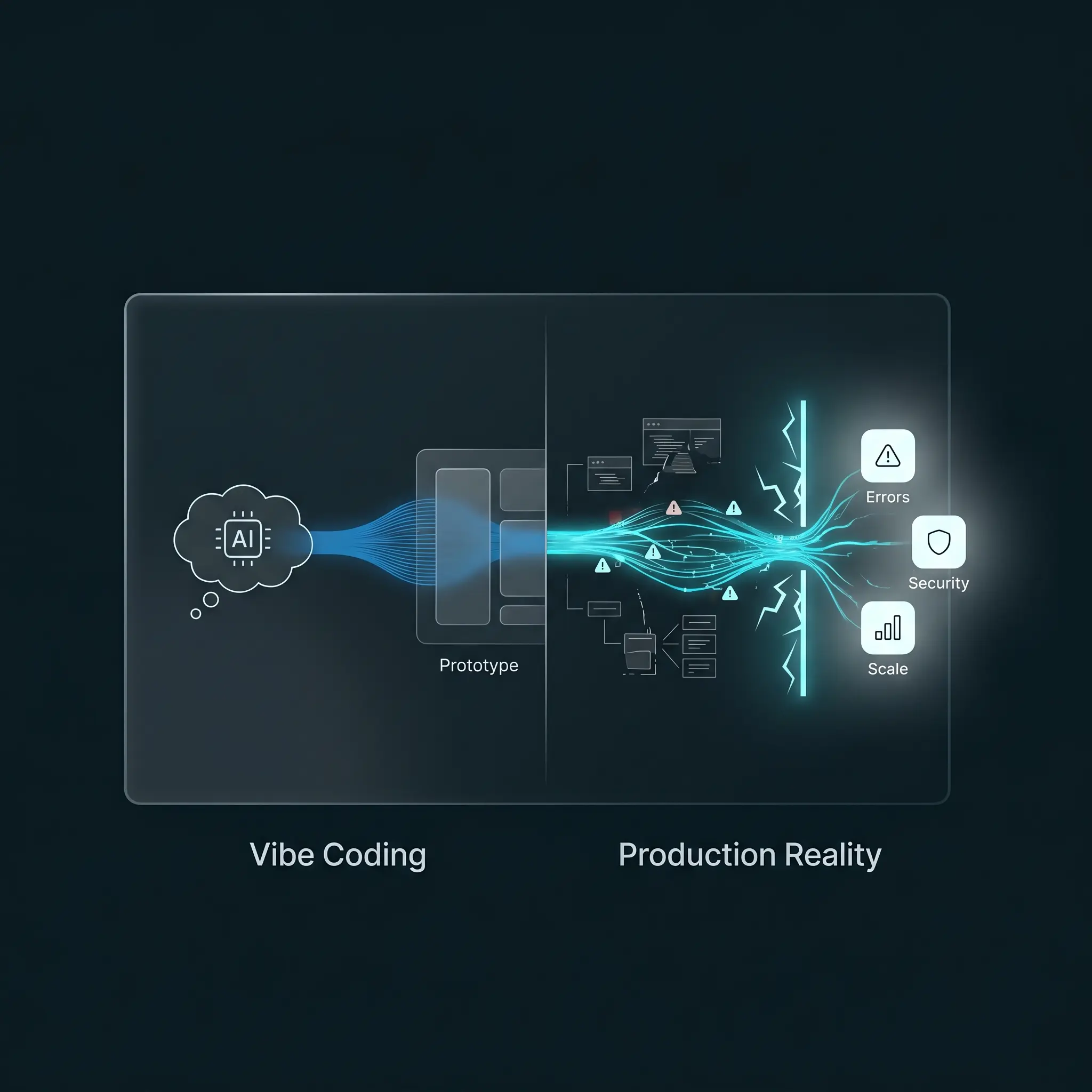
Vibe coding — the practice of prompting AI tools to generate large sections of code based on intent rather than specification — is genuinely useful. I use it. Most senior developers I know use it in some form. The problem is the gap between “it works on my machine in a demo” and “it works at 3am when a user in a timezone you forgot about hits an unexpected state.”
That gap is where most AI-generated code dies.
What Vibe Coding Actually Is (And What People Think It Is)
The term was popularized by Andrej Karpathy in early 2025, describing a mode of development where you describe what you want in natural language and let the AI generate the implementation — often accepting code you don’t fully read. You’re vibing with the system rather than reasoning through it line by line.
At its best, vibe coding is like having a fast junior developer who never gets tired. It compresses boilerplate, scaffolds structure, and gets you to a working prototype in a fraction of the usual time.
At its worst, it’s a confidence trap. The code looks right. The structure is familiar. The variable names are even reasonable. But underneath, there are assumptions baked in that weren’t in your prompt — assumptions about data shape, about error handling, about what happens when the input is null or the API times out or the user does the thing you didn’t think to test.
The issue isn’t that the model is writing bad code. Often it’s technically correct code. The issue is that the model is optimizing for the most statistically likely implementation given your prompt — not for the specific constraints of your system, your team, your infrastructure, or your users.
Why AI-Generated Code Breaks in Production (Specifically)
1. Error Handling Is the First Casualty
Prompt an AI to write a function that fetches user data from an API, and it will almost certainly return a clean, readable async function. What it probably won’t do — unless you explicitly ask — is handle rate limits, retry on transient failures, distinguish between a 401 and a 503, or log in a way that makes debugging a production incident possible.
This is the most common failure pattern I see. Here’s what the AI typically generates versus what production actually requires:
What the AI gives you (vibe code):
JS
// Generated by AI — clean, readable, works in the demo
const getUser = async (userId) => {
  const response = await fetch(`/api/users/${userId}`);
  const data = await response.json();
  return data;
};
What production actually needs:
JS
// Production-ready — explicit errors, typed status codes, structured logging
const getUser = async (userId) => {
  let response;

  try {
    response = await fetch(`/api/users/${userId}`);
  } catch (networkError) {
    console.error({ event: 'getUser_network_failure', userId, error: networkError.message });
    throw new Error('Network request failed. Please try again.');
  }

  if (response.status === 401) {
    throw new Error('Unauthorized. Session may have expired.');
  }

  if (response.status === 404) {
    return null; // User not found is not an exception — it's a valid state
  }

  if (!response.ok) {
    console.error({ event: 'getUser_http_error', userId, status: response.status });
    throw new Error(`Unexpected response: ${response.status}`);
  }

  const data = await response.json();
  return data;
};
The difference isn’t complexity. It’s intentionality. The first version works when everything goes right. The second works when it doesn’t — which is the only version that matters in production.
Error handling is not glamorous. It doesn’t make the demo look better. And because most AI training data skews toward “working examples” rather than “incident post-mortems,” the models are better at the happy path than at the edges.
In production, the edges are where your users live.
2. Context the Model Doesn’t Have
The model doesn’t know your database schema evolved three times over the past year and has some columns that mean different things in different contexts. It doesn’t know that one particular endpoint has a performance-sensitive path that can’t afford an extra database call. It doesn’t know that the previous developer made an unusual architectural decision that the rest of the codebase has quietly worked around for eighteen months.
When you prompt an AI for code in isolation, you get code that works in isolation. Real production code doesn’t live in isolation. It lives inside a specific system with specific history and specific constraints that no prompt fully captures.
This is exactly why architecture decisions need to happen before the AI gets involved — and why the structural decisions you make in week one are the ones you’re still defending in month eighteen.
3. Tests Get Skipped — and the Model Accepts It
In a proper development workflow, you write tests to define what “working” actually means. In vibe coding workflows, especially under time pressure, tests are often an afterthought — or generated alongside the feature code by the same model, which means they test what the code does rather than what the code should do.
There’s a difference. Tests written by the person who also wrote the code tend to prove the code runs, not that it’s correct. When both the implementation and the test come from the same prompt, you’ve built a closed loop that can pass while still being wrong.
4. Security Is Invisible Until It Isn’t
A 2024 analysis by researchers at Stanford found that code suggested by AI coding assistants introduced security vulnerabilities at rates comparable to novice developers — particularly around input validation, authentication edge cases, and insecure defaults. The suggestions aren’t malicious. They’re just optimized for functionality, not for threat modeling.
On a MERN stack project, this shows up in a specific pattern: generated Express middleware that sanitizes the obvious inputs but misses header injection vectors, MongoDB query patterns that work until someone figures out they’re injectable, JWT handling that ignores token expiry in certain flows. I’ve seen all three in code that passed code review because it looked right.
None of this shows up in a demo. All of it matters in production.
5. Architecture Doesn’t Emerge From Prompts
You can prompt your way to a working feature. You cannot prompt your way to a maintainable codebase.
Architecture is the set of decisions that compound over time — how services communicate, where state lives, how you handle cross-cutting concerns like logging and auth, what patterns you use consistently enough that a new developer can read the code without a guided tour. The structural decisions made in week one are the ones you’re still living with in month eighteen.
AI tools are genuinely poor at this because architecture requires understanding the future of a system, not just its current state. The model knows what you told it. It doesn’t know what you’re building toward.
Vibe Code vs. Production-Ready Code: A Direct Comparison
For anyone who works better with a reference table than prose — this is the gap between vibe coding and production-ready code in concrete terms:
| Dimension | Vibe Code | Production-Ready Code |
|---|---|---|
| Error handling | Happy path only | Explicit per error type, typed status codes |
| Logging | console.log or absent |
Structured logs with event names and context |
| Security | Input sanitized for obvious cases | Threat-modeled, edge cases covered |
| Tests | Generated alongside the code | Written independently, catch regressions |
| Database queries | Works for well-formed inputs | Indexed, protected against slow queries and injection |
| Architecture fit | Works in isolation | Integrated with system history and constraints |
| Readability under pressure | Clear in isolation | Clear to a stranger at 2am during an incident |
This table is also useful for code review. If a PR can’t check most of these boxes, it’s not production-ready regardless of whether a human or an AI wrote it.
What “Production-Ready” Actually Means
Before you can fix the gap, you need to be honest about what you’re measuring.
Production-ready code isn’t code that passes the demo. It’s code that:
- Handles errors explicitly, not optimistically
- Fails loudly enough that you know something broke, but gracefully enough that users see something useful
- Can be read by someone else at 11pm during an incident without needing the original author in the room
- Has test coverage that catches regressions, not just basic functionality
- Performs under realistic load, not just a single well-formed request
- Doesn’t expose vulnerabilities that a reasonably motivated attacker would find
None of these are things you get for free from an AI code generator. They’re things you design for, explicitly, before you write a single line.
How Experienced Developers Actually Use AI Coding Tools
The developers I know who have the highest-quality output from AI tools are not the ones vibe coding most aggressively. They’re the ones who are most deliberate about when and how they use it.
A few patterns that consistently appear:
They use AI for implementation, not architecture. The architectural decisions — how the system is structured, what the data model looks like, what the API contracts are — happen before the AI gets involved. Once those are clear, the AI is useful for filling in the implementation within those constraints.
They prompt with constraints, not just intent. Instead of “write a function to handle user authentication,” it’s “write an Express middleware function that validates a JWT, returns a 401 with a specific error format if the token is invalid, logs the user ID and request path on success, and never throws an unhandled exception.” The more specific the constraint, the more useful the output.
They treat generated code as a first draft, not a finished product. Every generated function gets read — actually read, not skimmed. The question isn’t “does this look right?” but “do I understand exactly what this does, and am I comfortable defending it at 2am?”
They write tests before accepting the code. Writing the test first — even just a rough sketch of what “working” means — gives you a target that isn’t defined by the code itself. When the generated code passes that test, it means something. When the test was generated alongside the code, it’s much less meaningful.
They review security explicitly — but separately from the code review. Generated code gets a dedicated security pass, not just a glance during the regular review. This is a habit, not a checklist.
A Practical Workflow for AI-Assisted Development That Actually Holds Up
This is what a sustainable alternative to pure vibe coding looks like on a production MERN project:
Step 1 — Design before you prompt. Write out what the feature does, what the inputs and outputs are, what can go wrong, and what the system should do when it does. This doesn’t need to be formal. A few bullet points in a comment block is enough. But it forces you to think before the AI thinks for you.
Step 2 — Prompt with context. Include your data model, your error handling conventions, and any constraints that matter for your system. If you’re using a specific pattern for API responses, paste an example. If there’s a security concern, name it explicitly.
Step 3 — Generate in small units. Don’t prompt for an entire feature at once. Generate one function, one component, one route handler. Keep the scope tight enough that you can actually review what you’re accepting.
Step 4 — Review like a code reviewer, not an author. When you read your own code, you see what you intended it to do. When you review someone else’s code, you see what it actually does. Treat AI-generated code like the latter.
Step 5 — Write or verify tests before merging. The test doesn’t have to be comprehensive. It has to answer the question: “if this breaks, will I know?” If the answer is no, add the test.
Step 6 — Audit your MongoDB queries and indexes. AI-generated database queries work for well-formed inputs on clean data. They often miss the slower edge cases — queries that run fine on a 500-row development database and time out on a 2 million-row production one, or queries on unindexed fields that become a DoS vector under load. Before any query goes to production, check that the fields it filters or sorts on are indexed, and run explain() to confirm the query plan makes sense.
The Skill That AI Can’t Replace
Here’s what I keep coming back to when this conversation comes up with developers I work with:
The gap between a vibe-coded prototype and production software is not a gap in code generation. It’s a gap in judgment — about what matters, what can go wrong, and what “good enough” actually means in a specific context.
That judgment comes from shipping things, watching them break, and understanding why. It comes from reading incident reports, from debugging production issues at bad hours, from working in a codebase long enough to understand how decisions compound.
AI tools have made certain parts of development dramatically faster. They haven’t made the judgment required to ship software that lasts any less necessary. If anything, they’ve made it more valuable — because the developers who have that judgment can use AI to move faster, while the developers who don’t have it can now move fast in the wrong direction at scale.
The best use of AI in software development is not to replace the thinking. It’s to spend less time on the parts of the job that don’t require thinking so you can spend more time on the parts that do.
Where This Leaves You
If you’re currently relying on AI-generated code without a deliberate review process, a testing strategy, and a clear sense of what “production-ready” means for your system, the solution isn’t to use less AI. It’s to use it more intentionally.
Slow down at the decision points. Speed up at the implementation. Let the model generate the code. Make sure you’re the one who understands it.
That’s the actual skill — not the prompting, but the judgment about what to do with the output.
Work With Someone Who Understands Both Sides
Whether you’re a developer looking for a technical review of your codebase or a startup founder who wants to make sure your product is built to survive beyond the demo — I can help.
I build full-stack JavaScript applications (and audit existing ones) for teams that need their systems to hold up under real conditions. If you’re evaluating your current stack, scaling a MERN application, or trying to identify where your AI-assisted code might be fragile before it becomes an incident,